Test the newest features first with this free open-source web browser
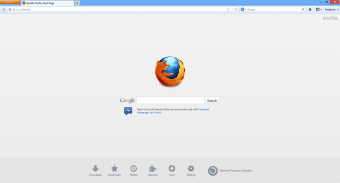
Mozilla Firefox Beta is the test version of the popular Firefox web browser. Firefox Beta users get all the features of the stable Firefox build, like enhanced privacy and customizability, plus the opportunity to test out new versions and features before anyone else.
Top Recommended Alternative

The best part is, using Firefox Beta is completely free. You don't need to join as an official tester or sign up to use it. Simply head over to Mozilla's homepage to download the Firefox Beta and start using it instantly. Firefox can be easily installed on just about any operating system, including some less mainstream systems like Linux.
How do I install Firefox Beta?
Getting started with the Firefox Beta is easy. To install Firefox Beta, head over to Mozilla's website, and all you have to do is click the download link to get started. If you're having trouble, Firefox includes step-by-step installation instructions for any major OS from iOS to Linux on the Mozilla website. You'll be browsing the internet in style in no time.
If you're feeling adventurous and like to be on the cutting-edge of tech, then Mozilla Firefox's beta browser is perfect for you. Since it's inception, Firefox has always been more tailored to users that like to take risks and get creative.
Like other browsers, Firefox lets you browse the web and check out all your favorite sites like Twitter and YouTube. However, similar to other browsers like Opera, Firefox Beta is open source.
This means users are free to jump into the source code and customize their browsers as they see fit. This leads to tons of unique user-created content for all users to take advantage of, from the cosmetic to the more practical.
Themes and skins allow you to customize Firefox's look, while addons add more practical features like ad blockers, media enhancers, and additional privacy and security options.
If you've got HTML coding skills, you can also join other users and code in features of your own. Firefox's Extension Workshop provides coding tools and allows you to submit your own customizations for review by Mozilla. If it's approved, your extension could be offered for other users via the Add-ons marketplace on the official Firefox website.
Is Firefox Beta safe?
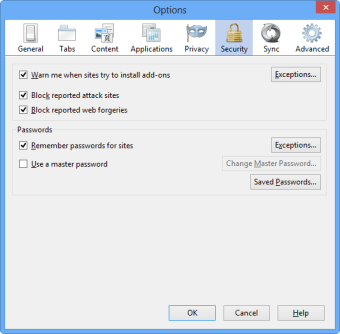
Though it is a beta, Firefox is still safe to use. Like the base version of the browser, security is at the forefront. Features such as Lockwise will alert you if a website you have an account on is compromised, and other standard security options like two-step authentication, tracking protection, and a password manager.
These are all industry-standard features shared by most modern browsers such as Safari. However, these are only a few of the extensive security options available in the beta. Even though you're using an "unstable" version of the browser, your data is still protected.
Risk vs. Reward
The Mozilla Firefox Beta offers some great opportunities to tech-savvy users, but it's important to note that those opportunities come with some risk. As with any Beta, the Firefox Beta is less stable than the regular version of the browser.
As such, it's prone to glitching and crashing unexpectedly. If you use Firefox Beta, you'll want to make sure you're prepared for unexpected crashes by backing up your data whenever possible. It's also slower than some other beta browsers.
Is Firefox Beta better than Google Chrome?
In particular, the Google Chrome Beta tends to have faster browsing speeds and is less prone to unexpected crashes. If you're looking for a more secure but less cutting-edge browser Beta, the Google Chrome Beta is better than the Firefox Beta in that aspect.
You may also notice that things may start to lag or freeze as you browse for longer. This issue seems to particularly affect email-related apps, so make sure you're saving your drafts if you're composing any important emails while using the Beta.
Stay on the cutting edge
As with any beta, the Mozilla Firefox Beta comes with inherent tradeoffs. You'll get to access new features and updates before other users, but you'll have to contend with the bugs and glitches that can be present in any beta system.
As far as betas go, Firefox is more stable than many other beta browsers out there, and it's worth trying out for the enhanced customizability and security features.
Firefox is committed to making regular updates to the beta, so you'll never have a lack of new features to try out. You can check out the Beta Notes blog on Mozilla's website for The most recent update has introduced new tab organizational options, DNS defaults, and the ability to import Edgium profile data for Windows and Mac users.